
Direct2MD20.14 - App Store
You'll be able to see results in few seconds.
Publisher Description


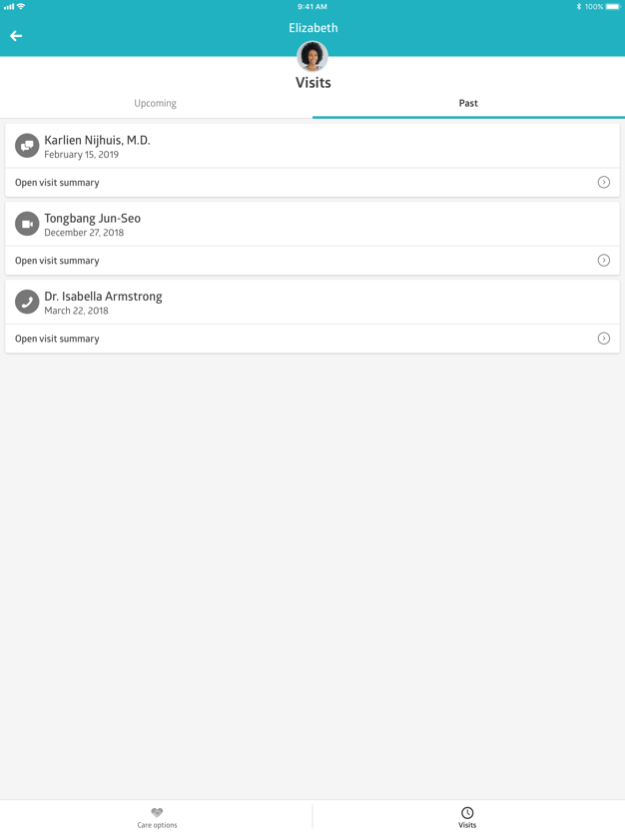
See a Doctor Online with Direct2MD!
Direct2MD’s mobile app provides members 24/7 access to a medical provider anytime and anywhere. Secure, HIPAA-compliant solution for immediate access to high-quality care for a variety of medical conditions.
Features Include:
-Access to a doctor from your home, work, or while on vacation
-Prescriptions sent directly to your pharmacy
-Secure eVisit and eHealth records
-Easy set-up and no hassles with insurance or long wait times
Common Conditions Treated:
-Cough and Cold
-Fever
-Rx refills
-Pediatric fever, advice or other issues
-Rashes/skin inflammations
-Allergies, sore throat
-Sprains and strains
-Insect bites
-Asthma and bronchitis
-Flu, vomiting and diarrhea
-Urinary tract infections
-Moles and warts
-Heartburn
-Insomnia
-Arthritis, muscle and joint pain
-Acne
-And more
Apr 20, 2023
Version 20.14
Welcome to the latest version of The Direct2MD app!
We've enhanced the patient experience and made general maintenance and performance updates. Patients can now edit their health records, manage files, and also enjoy more scheduling options, including editing previously scheduled visits and inviting guests to telehealth video calls.
Thank you for choosing The Direct2MD app for your telehealth needs.
About Direct2MD
The company that develops Direct2MD is Direct2MD. The latest version released by its developer is 20.14.
To install Direct2MD on your iOS device, just click the green Continue To App button above to start the installation process. The app is listed on our website since 2023-04-20 and was downloaded 0 times. We have already checked if the download link is safe, however for your own protection we recommend that you scan the downloaded app with your antivirus. Your antivirus may detect the Direct2MD as malware if the download link is broken.
How to install Direct2MD on your iOS device:
- Click on the Continue To App button on our website. This will redirect you to the App Store.
- Once the Direct2MD is shown in the iTunes listing of your iOS device, you can start its download and installation. Tap on the GET button to the right of the app to start downloading it.
- If you are not logged-in the iOS appstore app, you'll be prompted for your your Apple ID and/or password.
- After Direct2MD is downloaded, you'll see an INSTALL button to the right. Tap on it to start the actual installation of the iOS app.
- Once installation is finished you can tap on the OPEN button to start it. Its icon will also be added to your device home screen.
Program Details
System requirements
Download information
Pricing
Version History
version 20.14
posted on 2023-04-20
Apr 20, 2023
Version 20.14
Welcome to the latest version of The Direct2MD app!
We've enhanced the patient experience and made general maintenance and performance updates. Patients can now edit their health records, manage files, and also enjoy more scheduling options, including editing previously scheduled visits and inviting guests to telehealth video calls.
Thank you for choosing The Direct2MD app for your telehealth needs.
version 20.6.0
posted on 2020-04-29
Apr 29, 2020
Version 20.6.0
General maintenance and bug fixes.
Disclaimer
Official App Store Link
We do not host Direct2MD on our servers. We did not scan it for viruses, adware, spyware or other type of malware. This app is hosted by Apple and passed their terms and conditions to be listed there. We recommend caution when installing it.
The App Store link for Direct2MD is provided to you by apps112.com without any warranties, representations or guarantees of any kind, so access it at your own risk.
If you have questions regarding this particular app contact the publisher directly. For questions about the functionalities of apps112.com contact us.
